Running a successful YouTube live stream requires more than just great content; it demands the right software to power your broadcast. Your choice of tool is critical whether you're hosting a one-time event, gaming, or aiming to capture the algorithm's attention with a permanent 24/7 continuous stream. This guide breaks down the best youtube live stream software available today, helping you find the perfect engine for your channel's needs.
We have categorized each option to simplify your search:
- Desktop Encoders: For creating high-quality video content to be used in a 24/7 stream.
- Browser-Based Studios: For producing interview segments or simple loops for your continuous broadcast.
- Cloud Platforms: For broadcasters running reliable, always-on 24/7 streams.
This comprehensive resource moves beyond simple feature lists. We provide a detailed analysis of each tool, including its unique strengths, honest limitations, and ideal use cases, specifically focusing on how they can support a 24/7 streaming strategy. For creators in the music space, understanding the broader impact of broadcasting is also crucial; for instance, many artists are now exploring the benefits of live streaming performances for music sales as a way to connect with fans and drive revenue, often through continuous lofi or music video streams.
This article is designed to be actionable. You will find practical setup notes, screenshots, and direct links for every piece of software listed. Our goal is to equip you with the knowledge to select the right platform, get your stream live with confidence, and start growing your channel, whether you're building a community or launching a 24/7 lofi radio station. Let's find the right software for you.
1. 24/7 LiveStream
24/7 LiveStream is a powerful, cloud-based platform designed for one primary purpose: to create and maintain continuous, always-on YouTube live streams with exceptional reliability. It stands out as a premier piece of youtube live stream software for creators who want to maximize channel visibility, accelerate growth, and keep their audience engaged around the clock without needing to manage local hardware or complex software. The service allows you to transform pre-recorded videos and audio into a permanent live broadcast in under a minute, a true set-and-forget solution.
This platform is engineered for creators whose content benefits from a constant presence, such as lofi music radios, ambient soundscapes, meditation loops, or branded channel programming. By maintaining an always-on stream, channels can significantly boost their watch-time and subscriber metrics, helping them reach YouTube Partner Program thresholds faster. The company reports impressive results for its users, including up to 500% more live views and a 700% increase in new subscribers within 60 days.
Key Features & Use Cases
24/7 LiveStream is built around a streamlined workflow that prioritizes speed and stability. You upload your media files to the secure cloud storage (100 GB included per stream), arrange them in a playlist, add professional touches like logos and lower-thirds, and launch. The entire process is managed from a simple web dashboard.
- Enterprise-Grade Reliability: The service guarantees 100% uptime with an SLA, using auto-redundant servers and instant failover. Crucially, you can edit playlists or update overlays live without interrupting the stream, ensuring a seamless experience for your viewers.
- Accelerated Channel Growth: Its core benefit is leveraging the YouTube algorithm's preference for live content. The permanent "Live" badge increases click-through rates, and the constant stream accumulates watch hours day and night, attracting new subscribers organically.
- Simple, Predictable Pricing: The platform uses a flat-rate model at $16 per stream per month (or $14/month annually). This transparent pricing avoids hidden bandwidth fees, and since each stream is isolated, you only pay for what you use.
- Ideal for Looping Content: Perfect for music channels, ambient video loops, and faith-based broadcasters who want to provide a continuous, low-touch viewing experience.
Pricing and Technical Specifications
| Feature | Specification |
|---|---|
| Pricing | $16/month per stream or $14/month billed yearly |
| Resolution | 1080p @ 30 FPS |
| Audio | Stereo, up to 320 kbps |
| Storage | 100 GB per stream |
| Uptime | 100% SLA with auto-recovery |
Pros and Cons
Pros:
- Exceptional Uptime: Built for mission-critical, 24/7 broadcasting with a 100% uptime guarantee.
- Set-and-Forget Simplicity: The cloud-based nature eliminates the need for a dedicated local PC or server.
- Growth-Oriented: Specifically designed to boost key YouTube metrics like watch-time and subscribers.
- Predictable Costs: Flat-rate monthly or yearly pricing makes budgeting straightforward.
Cons:
- Resolution Limit: Output is capped at 1080p/30 FPS, which may not be suitable for creators needing 4K.
- Cost at Scale: Each stream is billed individually, so running many simultaneous channels can become costly.
- Creator Responsibility: You are fully responsible for managing copyright and Content ID issues for your uploaded media.
For a deeper dive into how this platform compares with other solutions, you can find more information about youtube live stream software and its various applications.
Website: https://247livestream.live
2. OBS Studio (Open Broadcaster Software)
OBS Studio is the undisputed champion of free, open-source live production software. It provides an incredibly powerful and flexible toolkit for creators to produce professional-quality streams without spending a dime. Its core strength lies in its scene-based production, allowing you to prepare multiple layouts with different cameras, graphics, and video sources, then seamlessly switch between them during your broadcast.
While many use OBS for event streaming, it's also a fundamental tool for creating content destined for a 24/7 stream. You can use it to record complex video loops with dynamic elements, which can then be uploaded to a cloud-based service for continuous broadcasting. This approach gives you the creative control of a desktop application while leveraging the stability of a dedicated 24/7 streaming platform.
Key Features & Use Cases
- Scene-Based Production: Effortlessly create and transition between scenes containing webcam feeds, screen captures, images, text, and pre-recorded videos. This is ideal for everything from live gaming to structured tutorials.
- Extensive Plugin Ecosystem: What makes OBS unique is its vast library of community-created plugins. You can add advanced audio controls, visual effects, stream deck integrations, and much more.
- Virtual Camera: Output your OBS scene as a virtual webcam, allowing you to use your professionally produced feed in other applications like Zoom or Google Meet.
- Cost-Effective: As a completely free tool, it’s the perfect starting point for any creator looking to experiment with live streaming without financial commitment.
Platform Breakdown
| Feature | Details |
|---|---|
| Pricing | Completely Free (Open-source) |
| Ideal Use Case | Solo creators, gamers, educators, and anyone needing a powerful, customizable desktop encoder for live events or for producing content for a 24/7 stream. |
| Primary Limitation | The user interface can feel intimidating for absolute beginners, and plugin maintenance can sometimes be an issue after major software updates. |
| 24/7 Streaming Note | Best used for creating the video source material for a 24/7 stream rather than running the stream directly from a local PC, which is prone to failure and instability. |
Pro Tip: Spend time exploring the plugin library to unlock advanced features. For optimal stream quality, it's crucial to configure your settings correctly. For more details on that, you can learn about setting the right bitrate for streaming to avoid common issues.
Official Website: https://obsproject.com/download
3. Streamlabs (Streamlabs Desktop + Streamlabs web tools)
Streamlabs takes the powerful core of OBS Studio and wraps it in a user-friendly interface designed for rapid setup and monetization. It simplifies the streaming experience by integrating essential creator tools like alerts, overlays, and donation widgets directly into the application, making it one of the most popular choices for new and intermediate streamers. The platform combines a desktop application with a suite of web-based tools for a complete ecosystem.
While excellent for live events, Streamlabs Desktop can also serve as a production tool for 24/7 content. You can set up and record intricate scenes with dynamic overlays, alerts, and other interactive elements. This recording can then be used as the source video for a continuous cloud-based stream, ensuring your always-on broadcast has a professional, interactive feel without needing to run the desktop app constantly.
Key Features & Use Cases
- Integrated Creator Tools: Built-in alert box, donation goals, widgets, and themes eliminate the need for third-party browser sources for basic monetization.
- Vast Overlay Library: Access a massive library of free and premium stream overlays and themes to quickly give your broadcast a professional look.
- Multistreaming: The paid "Ultra" plan allows you to stream to YouTube, Twitch, and other platforms simultaneously directly from the app.
- Mobile App: Stream directly from your phone with the Streamlabs mobile app, which syncs with your desktop widgets and alerts.
Platform Breakdown
| Feature | Details |
|---|---|
| Pricing | Free version with core features. Streamlabs Ultra (paid subscription) unlocks premium overlays, multistreaming, and other advanced tools. |
| Ideal Use Case | Beginners and intermediate streamers who want an all-in-one solution with easy setup, integrated monetization, and a large theme library. |
| Primary Limitation | Can be more resource-intensive than OBS Studio. The most desirable features, like multistreaming and the full app library, are locked behind the "Ultra" subscription. |
| 24/7 Streaming Note | A solid choice for producing the visual assets for a 24/7 stream. You can record complex scenes with integrated alerts and overlays to create a dynamic video loop for cloud upload. |
Pro Tip: Start with the free version to master the basics. The integrated theme library is the fastest way to get a professional-looking stream up and running in minutes, even if you have no design experience.
Official Website: https://streamlabs.com/desktop/download
4. XSplit Broadcaster
XSplit Broadcaster is a veteran in the streaming software space, offering a polished and user-friendly alternative to more complex tools. It's known for its robust performance and professional feature set, making it a popular choice for gamers, live event producers, and creators looking for a reliable YouTube live stream software with a lower learning curve. Its intuitive interface helps users quickly set up scenes and go live.
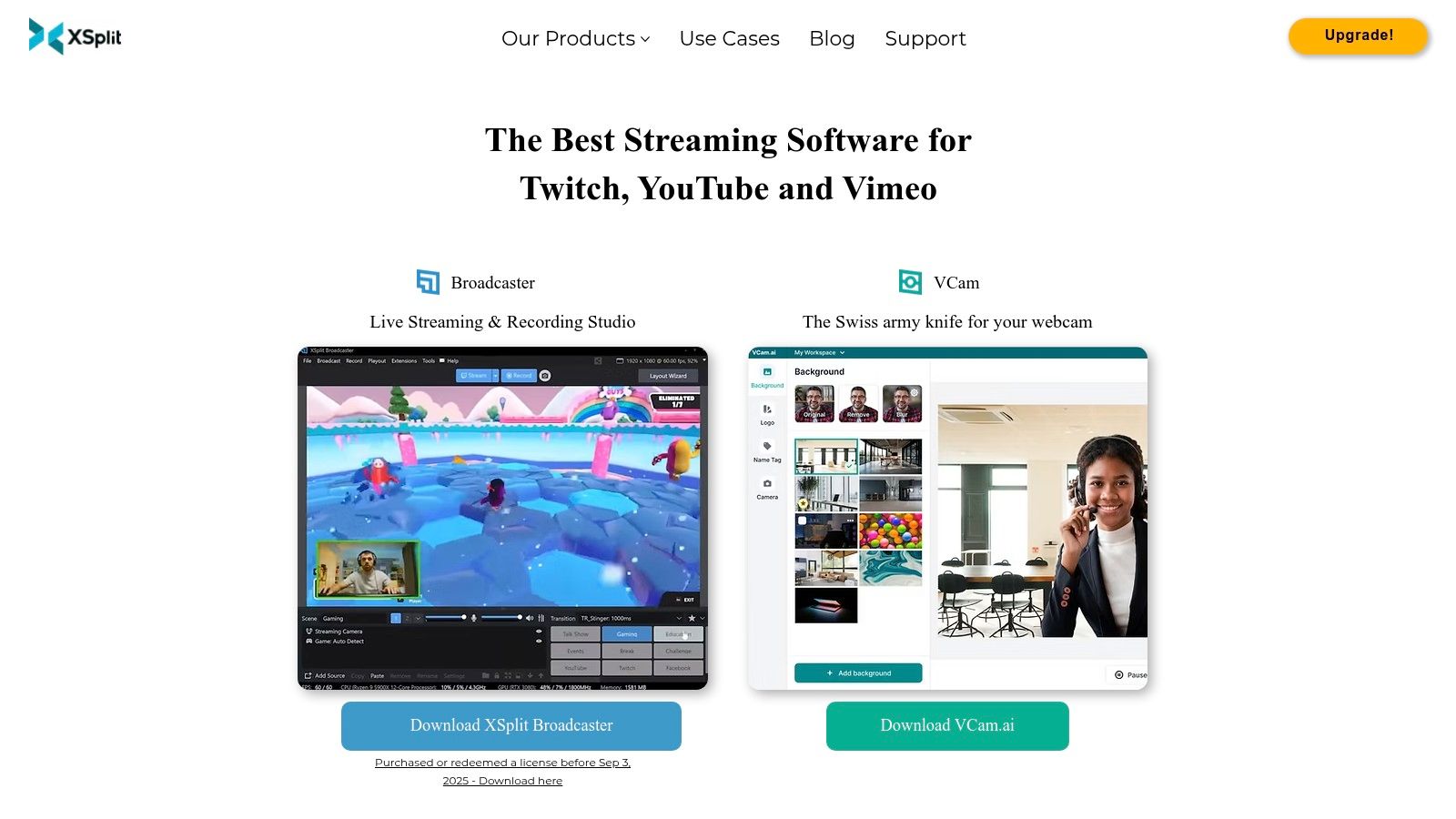
While XSplit is a powerful desktop encoder for live events, its stable performance also makes it a great tool for producing the content that fuels a 24/7 stream. You can use it to record high-quality, long-form video files with multiple scenes and sources, which can then be handed off to a cloud-based streaming service. This hybrid approach allows for professional production quality without the risk of running a continuous stream from a local machine.
Key Features & Use Cases
- Multistreaming Support: Natively stream to multiple platforms like YouTube, Twitch, and Facebook simultaneously, which is excellent for maximizing audience reach.
- Polished User Interface: XSplit provides a clean, intuitive drag-and-drop interface that is significantly more approachable for beginners than some open-source alternatives.
- Professional Tools: Includes advanced features like a virtual camera, SRT support for high-quality, low-latency streams, and an AI-powered background remover.
- Plugin & Extension Store: Expand the software’s capabilities with a variety of plugins and extensions for deeper integration with other services and tools.
Platform Breakdown
| Feature | Details |
|---|---|
| Pricing | Freemium model. The Free version has limitations (e.g., watermarks). Premium licenses unlock all features and are available via subscription or lifetime purchase. |
| Ideal Use Case | Creators and event producers who want a powerful, easy-to-use desktop application with professional support and are willing to pay for premium features. |
| Primary Limitation | The free version is quite restrictive, pushing users toward a paid license to remove watermarks and access the most powerful features like multistreaming. |
| 24/7 Streaming Note | Like OBS, XSplit is best for preparing and recording the video loops for a 24/7 broadcast, not for running the always-on stream directly from your desktop. |
Pro Tip: Take advantage of XSplit’s Scene Preview Editor. It allows you to edit a scene live without your audience seeing the changes, making for smoother, more professional transitions during your broadcast.
Official Website: https://www.xsplit.com/
5. vMix
vMix is a professional-grade, Windows-only live production and streaming software that brings broadcast studio capabilities to your desktop. It functions as a software video switcher, allowing you to mix multiple HD or 4K sources, including cameras, video files, and remote guests. Its power and stability make it a top choice for complex productions like sporting events, church services, and multi-camera talk shows.
For creators focused on 24/7 content, vMix offers unparalleled stability for long-duration broadcasts directly from a dedicated PC. You can build sophisticated playlists and scenes that run for hours or days, making it a viable solution for continuous streams. Its robust architecture is designed to handle extended runtimes that would challenge less professional software.
Key Features & Use Cases
- vMix Call: Easily integrate up to 8 remote guests into your broadcast directly from their web browser, making interviews and collaborative streams simple.
- Instant Replay: A broadcast-level feature that allows you to capture and replay key moments during a live event, perfect for sports or gaming streams.
- Advanced Protocol Support: Native support for NDI and SRT allows for high-quality, low-latency video transmission over local networks or the public internet.
- Multi-Destination Streaming: Simultaneously stream your production to YouTube, Facebook, Twitch, and custom RTMP servers from a single application.
Platform Breakdown
| Feature | Details |
|---|---|
| Pricing | Tiered Lifetime Licenses (from $60 to $1200) and subscription options are available. |
| Ideal Use Case | Professional event producers, houses of worship, sports broadcasters, and creators needing broadcast-level features and stability for multi-source live productions. |
| Primary Limitation | It is Windows-only, with no native macOS support, and its extensive feature set presents a steeper learning curve than simpler browser-based tools. |
| 24/7 Streaming Note | Excellent for running a 24/7 stream from a dedicated, powerful local machine. Its stability is a key advantage for long-duration, always-on broadcasting. |
Pro Tip: Take advantage of the 60-day free trial to fully explore all features before committing to a license. Test your hardware compatibility thoroughly, as vMix performs best on systems with dedicated GPUs.
Official Website: https://www.vmix.com/purchase/
6. Wirecast (by Telestream)
Wirecast is a professional-grade live production and streaming application designed for creators and organizations that demand robust, reliable performance. It serves as an all-in-one studio, providing advanced tools like layer-based compositing, multi-destination streaming, and remote guest features directly within its interface. This makes it a powerful choice for complex, high-stakes broadcasts.
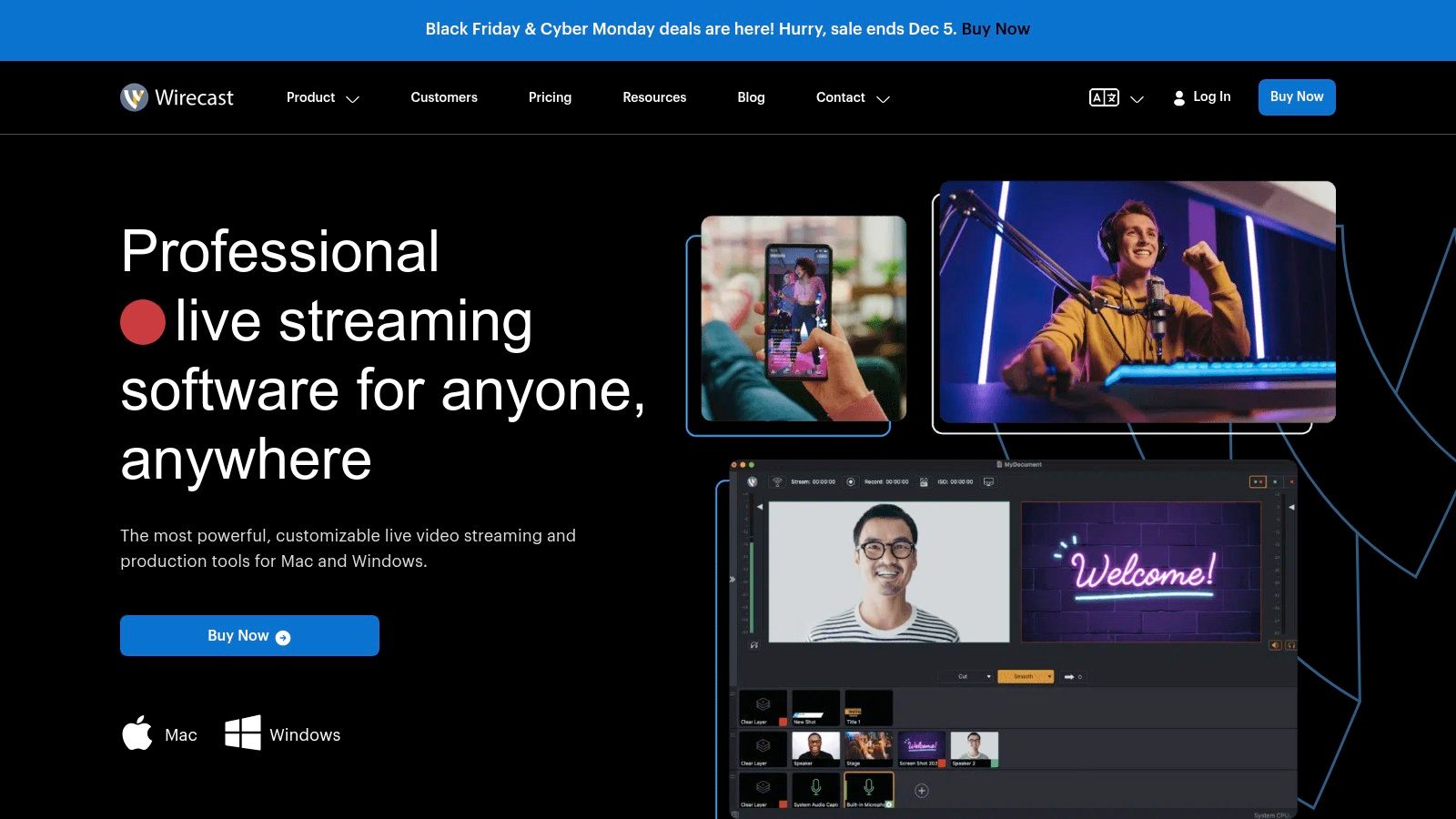
While its power is often used for live events, Wirecast is also an excellent tool for pre-producing sophisticated video content destined for a 24/7 stream. You can use its professional toolset to record polished, multi-layered video files that include integrated graphics, lower thirds, and guest interviews. These recordings can then be handed off to a cloud streaming service for uninterrupted, around-the-clock broadcasting, ensuring enterprise-level quality without running a local PC continuously.
Key Features & Use Cases
- Layer-Based Compositing: Create visually stunning scenes by layering up to 250 sources, including cameras, graphics, and pre-recorded video, with full control over placement and transitions.
- Built-in Remote Guests: Easily bring in remote guests with Wirecast Rendezvous, a peer-to-peer conferencing system built directly into the software.
- Advanced Production Tools: Features like PTZ camera control, ISO recording of individual sources, and an integrated stock media library make it a complete production suite.
- Multi-Destination Streaming: Simultaneously stream to YouTube, Facebook, Twitch, and custom RTMP destinations without needing a separate restreaming service.
Platform Breakdown
| Feature | Details |
|---|---|
| Pricing | Premium one-time purchase with different tiers (Wirecast Studio and Wirecast Pro). |
| Ideal Use Case | Businesses, houses of worship, educational institutions, and professional creators who need an all-in-one, reliable desktop application for high-production-value live events. |
| Primary Limitation | The premium price point places it out of reach for many beginners, and the license is typically tied to one machine, limiting flexibility compared to cloud-based tools. |
| 24/7 Streaming Note | Like other desktop encoders, Wirecast is best suited for producing the high-quality video assets for a 24/7 stream. Relying on it for the continuous broadcast itself introduces risks related to local hardware and internet stability. |
Pro Tip: Use the ISO recording feature to capture clean, isolated feeds of all your cameras and sources. This gives you maximum flexibility for post-production editing or creating on-demand versions of your live content.
Official Website: https://www.telestream.net/wirecast/
7. Ecamm Live (macOS)
For Mac users, Ecamm Live is a powerful and remarkably intuitive live production studio. It simplifies the process of creating professional-looking broadcasts, making it a favorite among creators who value a streamlined, polished workflow without the steep learning curve of more complex software. Its deep integration with macOS and native YouTube support allows for quick setup and one-click streaming.
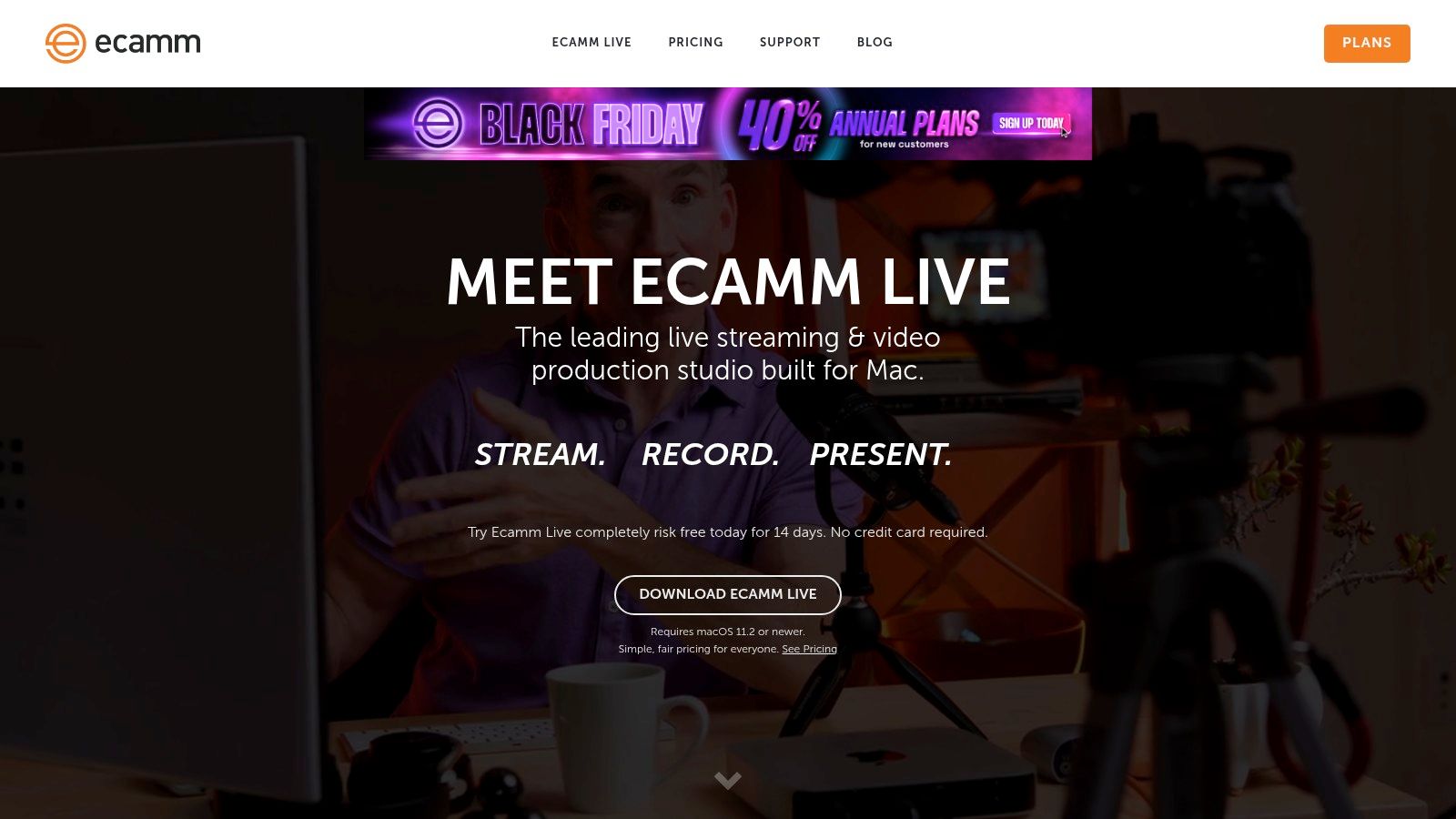
While primarily designed for live, interactive events, Ecamm Live is also an excellent tool for preparing content for a 24/7 stream. You can use its scene and overlay features to record high-quality, pre-produced segments with professional graphics, which can then be looped using a dedicated 24/7 cloud streaming service. This hybrid approach leverages Ecamm's user-friendly interface for content creation while ensuring your stream runs continuously from a stable server.
Key Features & Use Cases
- Native YouTube Integration: Go live on YouTube with a single click, complete with support for scheduling, chat comments, and stream health monitoring directly within the app.
- Interview Mode: Easily bring in remote guests for interviews or panel discussions, a key feature for podcasters and talk show hosts.
- Scenes and Overlays: Drag-and-drop functionality lets you build dynamic scenes with screen sharing, video files, camera feeds, and custom branding for a polished look.
- High-Quality Recording: Record isolated video and audio tracks (ISO recording) in ProRes format, giving you maximum flexibility in post-production.
Platform Breakdown
| Feature | Details |
|---|---|
| Pricing | Subscription-based, starting at $20/month (or $16/month billed annually). A 14-day free trial is available. |
| Ideal Use Case | Mac-based creators, podcasters, marketers, and educators who want a powerful, user-friendly tool for creating polished live or pre-recorded video content. |
| Primary Limitation | It is macOS only, with no support for Windows or Linux users. The most advanced features, like ISO recording, are locked behind the more expensive Pro plan. |
| 24/7 Streaming Note | Perfect for producing the high-quality video loops and segments for a 24/7 broadcast. The final recording can be uploaded to a cloud platform for continuous playback. |
Pro Tip: Use the virtual camera and virtual mic features to pipe your professionally produced Ecamm Live output into other applications, like Zoom or Teams, to elevate your presentation quality in meetings.
Official Website: https://www.ecamm.com/mac/ecammlive/
8. StreamYard
StreamYard is the go-to browser-based studio for creators who prioritize simplicity, collaboration, and professional branding without technical complexity. It eliminates the need for software installation, allowing you to produce high-quality talk shows, interviews, and webinars directly from a web browser. Its core strength is its incredibly intuitive guest management system, making it one of the easiest ways to bring multiple remote participants into your YouTube live stream.
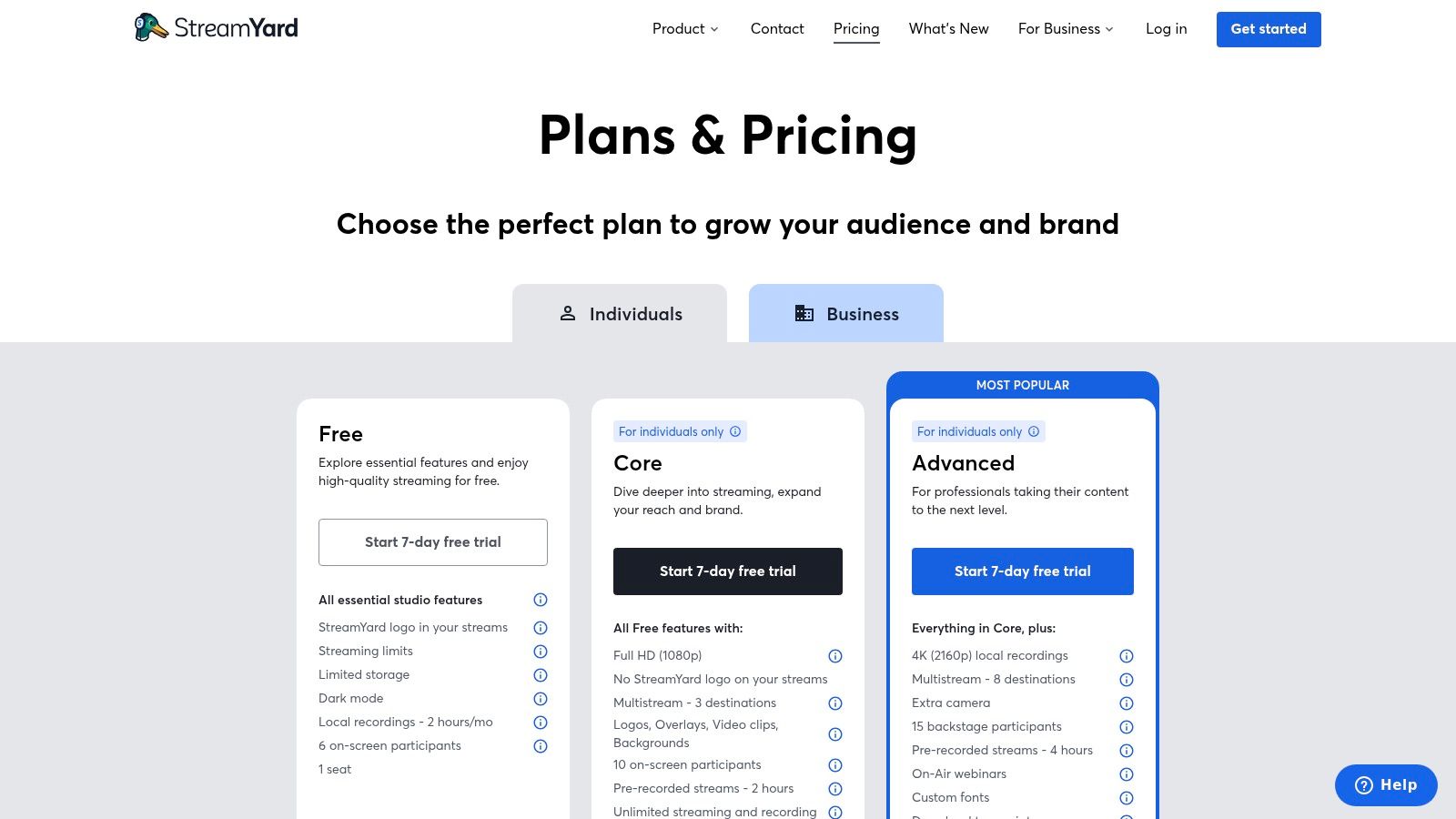
While primarily designed for live, interactive events, StreamYard can be a valuable tool in a 24/7 streaming workflow. You can use its cloud recording feature to produce a polished, multi-person interview or presentation. This recorded file can then be downloaded and added to a playlist for a continuous broadcast, ensuring your 24/7 stream includes high-production-value segments without the need for complex desktop software.
Key Features & Use Cases
- Browser-Based Studio: No downloads required. You can go live from nearly any modern computer with a webcam and microphone, making it extremely accessible.
- Seamless Guest Experience: Inviting guests is as simple as sending them a link. They can join from their desktop or mobile device without creating an account.
- Branding & Overlays: Easily add your own logos, banners, video clips, and on-screen comments to create a professional, branded broadcast.
- Multistreaming: Paid plans allow you to simultaneously broadcast your stream to YouTube, Facebook, LinkedIn, and other platforms.
Platform Breakdown
| Feature | Details |
|---|---|
| Pricing | Free plan with StreamYard branding and limitations; Paid plans start at $20/month (billed annually) for more features, destinations, and higher resolution. |
| Ideal Use Case | Podcasters, interviewers, educators, and brands needing a reliable, easy-to-use platform for hosting multi-person live shows and webinars. |
| Primary Limitation | The free version includes prominent StreamYard branding. Advanced production capabilities like complex scene transitions or plugins are not available. |
| 24/7 Streaming Note | Excellent for creating polished, pre-recorded interview segments to be looped in a 24/7 stream, but not designed for broadcasting a continuous stream directly. |
Pro Tip: Use the "Brand" tab to set up all your visual assets like logos, color schemes, and overlays before you go live. This preparation ensures a smooth and professional-looking broadcast from the moment you start.
Official Website: https://streamyard.com/pricing
9. Restream (including Restream Studio)
Restream is a powerful cloud-based service known for simplifying the process of multistreaming, but it offers much more. Its standout feature is the ability to send a single stream from your encoder (like OBS) to Restream's servers, which then broadcast it to multiple destinations like YouTube, Twitch, and Facebook simultaneously. This significantly reduces the strain on your local computer and internet connection.
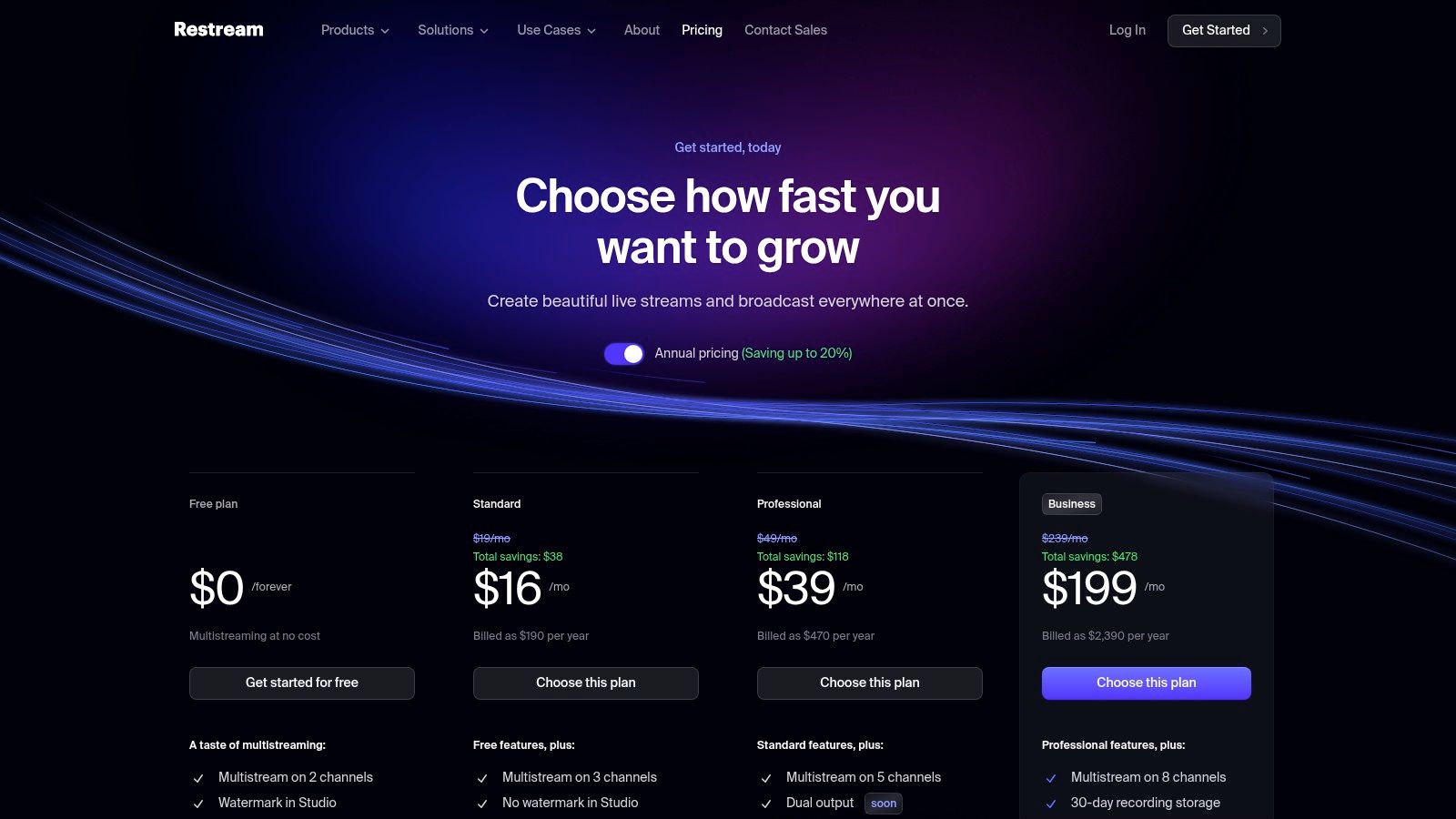
Beyond multistreaming, Restream provides its own browser-based live production tool, Restream Studio, which is great for quick, professional-looking streams without desktop software. For 24/7 channels, Restream's scheduling feature is particularly useful. You can upload a pre-recorded video file and schedule it to go live across all your platforms, making it an excellent tool for automating content delivery for continuous broadcasts without needing your PC to be on.
Key Features & Use Cases
- Multistreaming: The core feature that allows you to broadcast to 30+ platforms at once from a single source, ideal for maximizing audience reach.
- Restream Studio: A user-friendly, browser-based studio for creating professional broadcasts with custom graphics, guest interviews, and screen sharing.
- Upload & Stream: Schedule pre-recorded videos to broadcast as live events, perfect for maintaining a 24/7 stream schedule or premiering content.
- Unified Chat: View and respond to messages from all your connected streaming platforms in a single, convenient chat window.
Platform Breakdown
| Feature | Details |
|---|---|
| Pricing | Free plan available with Restream branding. Paid plans start at $16/month (billed annually) for more channels, custom RTMP destinations, and no branding. |
| Ideal Use Case | Creators wanting to expand their audience by streaming to multiple platforms simultaneously, or those needing a simple way to schedule pre-recorded content. |
| Primary Limitation | The free plan is limited in destinations and includes Restream branding. Advanced features like 1080p streaming and custom RTMP are locked behind paid tiers. |
| 24/7 Streaming Note | Excellent for scheduling pre-recorded video loops to maintain a consistent live presence, but not designed for true, continuous 24/7 broadcasting from a single file. |
Pro Tip: Combine OBS Studio with Restream for the best of both worlds. Use OBS for powerful scene creation and production, then use Restream as your destination to handle the heavy lifting of multistreaming. This is a common and effective workflow to stream to multiple platforms without overloading your system.
Official Website: https://restream.io/pricing
10. PRISM Live Studio
PRISM Live Studio is a versatile and completely free mobile and desktop application designed for creators who want to produce engaging live content from anywhere. It stands out by offering powerful features often found in premium software, such as multistreaming and creative overlays, directly on your smartphone. This makes it an excellent choice for on-the-go streaming, IRL (in-real-life) broadcasts, and mobile gaming sessions.
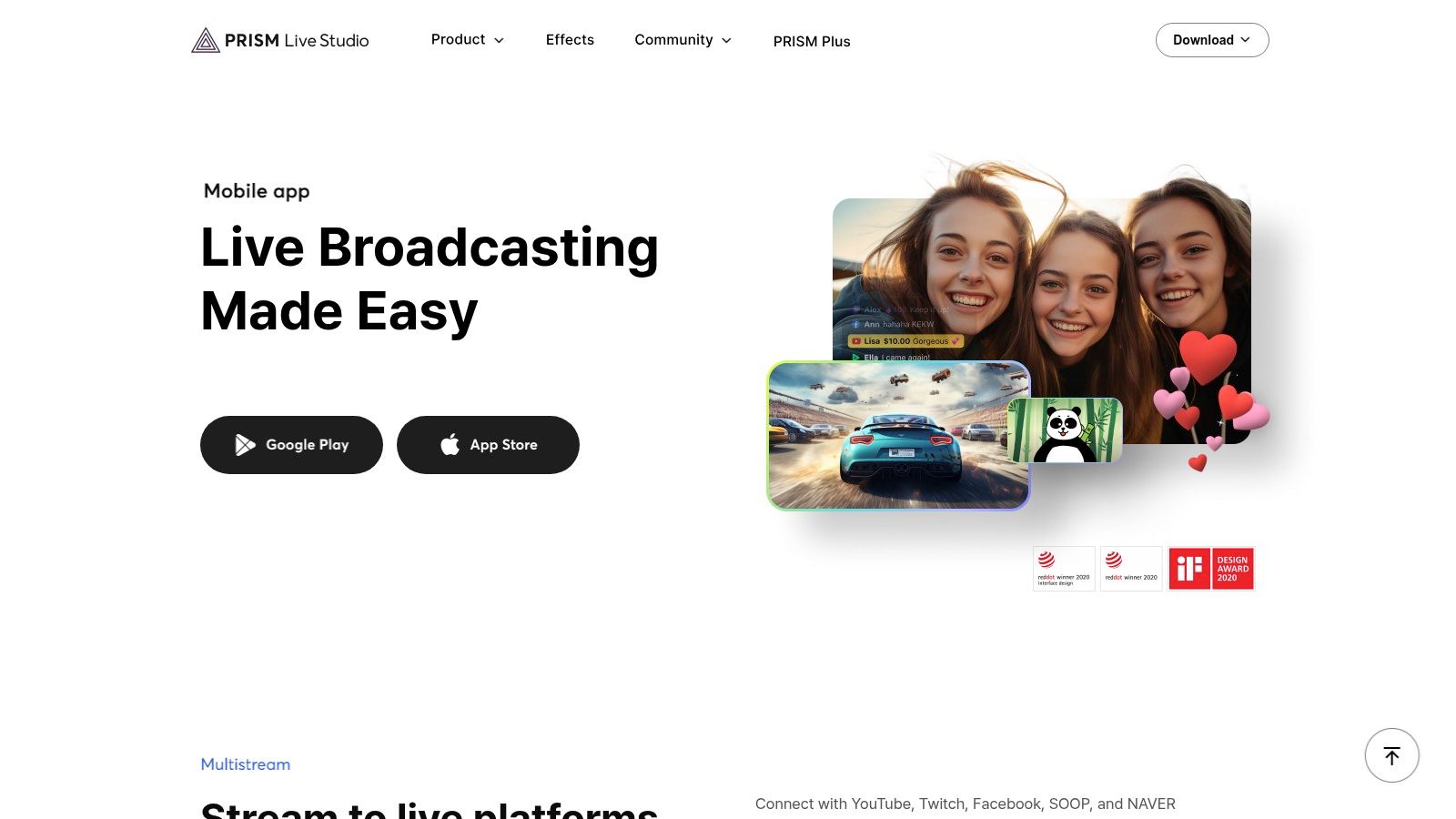
While primarily a live production tool, PRISM's desktop version can also be used to create video content that you can later loop for a 24/7 stream. Its user-friendly interface simplifies adding fun, interactive elements like animated text, stickers, and even VTuber avatars without needing complex setups. This combination of accessibility and creative flair makes it a compelling piece of YouTube live stream software for emerging creators.
Key Features & Use Cases
- Free Multistreaming: Simultaneously broadcast to up to six platforms, including YouTube, Twitch, and Facebook, directly from the mobile or desktop app at no cost.
- Creative Overlays & Effects: Add a personal touch with built-in widgets, animated text, background music, and unique beauty and sticker effects.
- VTuber Avatars: Integrate your own VRM model to stream as a virtual avatar, a feature that typically requires more advanced software.
- Mobile Screen Sharing: Easily share your mobile screen, making it perfect for streaming mobile games or app tutorials directly to your audience.
Platform Breakdown
| Feature | Details |
|---|---|
| Pricing | Completely Free |
| Ideal Use Case | Mobile creators, IRL streamers, gamers, and VTubers looking for a powerful, no-cost solution with robust creative and multistreaming features. |
| Primary Limitation | The feature set is less comprehensive than dedicated desktop switchers like OBS, and multistreaming is capped at fewer destinations than paid services. |
| 24/7 Streaming Note | Best for producing live segments or pre-recorded content with its creative tools, which can then be incorporated into a larger 24/7 broadcast schedule. |
Pro Tip: Use the mobile app's vertical streaming layout to create content optimized for YouTube Shorts, Instagram Reels, and TikTok, then multistream to all platforms simultaneously to maximize your reach.
Official Website: https://prismlive.com/en_us/mobile.html
11. Amazon (Marketplace for Streaming Software Licenses)
While not a streaming application itself, Amazon serves as a massive marketplace where creators can purchase legitimate digital licenses for premium YouTube live stream software. Instead of buying directly from a developer, you can leverage Amazon's familiar interface, payment systems, and buyer protections to acquire tools like Wirecast or XSplit from authorized resellers, often at competitive prices during sales events.
This approach is useful for those who prefer consolidating their purchases or have Amazon gift cards or credits. For creators setting up a dedicated machine for a 24/7 stream, purchasing a perpetual software license through a trusted reseller on Amazon can be a straightforward way to officially license the encoding software needed for their always-on broadcast. It centralizes the purchase within a well-known ecosystem.
Key Features & Use Cases
- Vast Software Selection: Find official digital codes for numerous streaming applications from various publishers and authorized resellers in one place.
- Instant Digital Delivery: Many software purchases provide an electronic code delivered almost instantly, allowing you to get set up quickly.
- Familiar Checkout and Protection: Utilizes Amazon's standard payment processing, order history, and A-to-z Guarantee, offering a layer of security.
- Competitive Pricing: Multiple sellers competing on the platform can lead to discounts and better deals than you might find elsewhere.
Platform Breakdown
| Feature | Details |
|---|---|
| Pricing | Varies by software; often competitive due to multiple sellers. |
| Ideal Use Case | Creators looking to buy perpetual licenses for premium software like Wirecast or XSplit using Amazon's familiar platform, payment options, and buyer protections. |
| Primary Limitation | Risk of encountering unauthorized resellers. Buyers must be diligent in verifying that the seller is an authorized partner for the software they are purchasing. |
| 24/7 Streaming Note | A good option for acquiring a one-time license for the desktop software you intend to use on a dedicated PC to encode and manage your 24/7 stream source. |
Pro Tip: Always check the "Sold by" and "Shipped by" information on the product page. Purchase only from the official software publisher's Amazon storefront or a highly-rated, authorized reseller to ensure you receive a legitimate key.
Official Website: https://www.amazon.com/
12. B&H Photo Video
While not software itself, B&H Photo Video is a crucial resource for creators looking to purchase professional-grade YouTube live stream software. As a trusted US retailer and authorized reseller, it provides a legitimate marketplace for acquiring perpetual licenses or subscriptions for high-end production tools like Wirecast Pro or vMix. This is especially valuable for businesses, educational institutions, or professionals who require official invoices and reliable support.
For those setting up a robust system for 24/7 streaming, purchasing software through an authorized dealer like B&H ensures you receive valid licenses that won't be flagged or deactivated. They offer electronic delivery, meaning you get your software key quickly without waiting for physical media. Their knowledgeable support staff can also help you choose the right software and hardware combination for your specific production needs.
Key Features & Use Cases
- Authorized Software Sales: Purchase legitimate licenses for premium software like Telestream Wirecast Pro, ensuring full support and update eligibility.
- Electronic Delivery: Receive software keys and download links via email, allowing for quick setup and installation on your production machine.
- Business & Education Sales: Provides proper invoicing and sales channels for organizations that cannot purchase directly from a developer's website.
- Hardware and Software Bundles: A one-stop shop to acquire both the software and the necessary hardware (capture cards, cameras, mics) for a complete streaming setup.
Platform Breakdown
| Feature | Details |
|---|---|
| Pricing | Varies by product; B&H sells premium, paid software at retail prices. |
| Ideal Use Case | Professional streamers, educational institutions, and businesses needing to purchase official software licenses with proper invoicing and reliable fulfillment. |
| Primary Limitation | The catalog is focused on professional, high-cost software and hardware, with few to no options for free or entry-level tools. |
| 24/7 Streaming Note | A great place to acquire the professional desktop software (like Wirecast) needed to produce and automate the complex video files for a 24/7 stream. |
Pro Tip: Look for "EDU" versions if you represent an educational institution, as you may be eligible for significant discounts on professional streaming software. Always check system requirements on the B&H product page before purchasing.
Official Website: https://www.bhphotovideo.com/
Top 12 YouTube Live Stream Software Comparison
| Product | Core features / Capabilities | Reliability & UX (★) | Price / Value (💰) | Target audience & USP (👥 ✨) |
|---|---|---|---|---|
| 🏆 24/7 LiveStream | Cloud set-and-forget, upload playlists, overlays, ad cue points; 1080p@30fps, RTMP destinations, 100 GB/stream | ★5.0 — 100% SLA, auto-redundant servers, live edits w/o interruption | 💰 $16/mo or $14/mo billed yearly per always-on stream (flat, cancel anytime) | 👥 Creators wanting permanent channels (lofi, ambient, radio); ✨ always-on visibility to boost watch-time, Live badge CTR, revenue |
| OBS Studio | Scene-based production, RTMP, virtual camera, plugins, cross‑platform | ★4.5 — Stable, large community, steeper learning curve | 💰 Free (open-source) | 👥 Power users & DIY streamers; ✨ highly extensible plugin ecosystem |
| Streamlabs | OBS-based desktop + web tools, templates, alerts, cloud backup, multistream | ★4.3 — Easier setup, some instability after updates | 💰 Freemium; paid “Ultra” for advanced features | 👥 New creators who want quick monetization; ✨ integrated alerts, overlays, tipping |
| XSplit Broadcaster | Polished UI, multistreaming, 4K/60, AI background removal, SRT | ★4.2 — User-friendly, frequent updates, best features paid | 💰 Freemium / paid licenses | 👥 Desktop streamers wanting polished production; ✨ 4K/60 & AI tools |
| vMix | Broadcast-grade switcher: instant replay, ISO, NDI/SRT, multiple outputs | ★4.4 — Stable for long productions; Windows-only, steeper learning | 💰 Tiered licenses + lifetime options | 👥 Studios, churches, sports producers; ✨ pro broadcast features & hardware support |
| Wirecast | Layer-based compositor, PTZ control, ISO recording, presets | ★4.3 — Enterprise-ready, mature feature set | 💰 Premium licensing | 👥 Organizations & enterprises; ✨ all-in-one reliable production tool |
| Ecamm Live | macOS-native, one-click YouTube, scenes, interview mode, ProRes recording | ★4.5 — Very easy on Mac, Mac-first workflow | 💰 Subscription (Pro tier for advanced) | 👥 Mac creators & interview shows; ✨ native YouTube integration, simple UX |
| StreamYard | No-install browser studio, guest management, on-screen comments, cloud recording | ★4.4 — Very accessible, guest-friendly | 💰 Freemium; paid plans remove watermark/enable 1080p | 👥 Interviews, webinars, branded shows; ✨ no software install, easy guests |
| Restream | Cloud multistream, Restream Studio, scheduling, analytics, team workspaces | ★4.2 — Offloads fan‑out, solid scheduling | 💰 Freemium; paid tiers for more destinations/1080p | 👥 Multi-platform broadcasters & teams; ✨ scheduling + analytics |
| PRISM Live Studio | Mobile/desktop streaming, multistream, 1080p60, VTuber avatars, screen casting | ★4.0 — Great mobile features, lighter than desktop switchers | 💰 Free | 👥 Mobile/on-the-go creators; ✨ VTuber & mobile-first tools |
| Amazon (Marketplace) | Digital license marketplace, many sellers, electronic delivery | ★3.8 — Varies by seller; buyer protections available | 💰 Varies; competitive deals during sales | 👥 Buyers seeking quick licensed purchases; ✨ familiar checkout & protections |
| B&H Photo Video | Authorized reseller, electronic fulfillment, business/education support | ★4.1 — Trusted retailer, knowledgeable support | 💰 Varies; clear invoicing and pro purchase options | 👥 Businesses, pros, educators; ✨ authorized dealer with expert sales support |
Final Thoughts
Navigating the world of YouTube live stream software can feel overwhelming, but the journey to finding the perfect tool for your channel is a crucial step toward growth and audience engagement. We’ve explored a wide range of powerful options, from industry-standard desktop applications like OBS Studio and vMix to user-friendly browser-based studios like StreamYard and Restream. Each tool offers a unique set of features tailored to different types of creators and production needs, especially for those interested in 24/7 streaming.
The key takeaway is that there is no single "best" software for everyone. The right choice depends entirely on your specific goals, technical comfort level, budget, and, most importantly, the type of content you plan to create. What works for a high-production, multi-camera talk show (like vMix or Wirecast) is overkill for a simple, interview-style stream that could be perfectly managed with StreamYard.
How to Choose Your Ideal Streaming Software
To make a final decision, revisit your core objectives. Are you just starting out and need something free and powerful to create content for your 24/7 stream? OBS Studio is your undisputed champion. Are you a Mac user looking for a seamless, polished, and intuitive experience to record your video loops? Ecamm Live is likely your best investment. Do you need to record remote interviews to include in your continuous broadcast? Restream and StreamYard are built for precisely that purpose.
However, if your primary goal aligns with the powerful strategy of running continuous, always-on content to maximize watch time and create a constant presence, your needs are more specific. For channels focused on lofi music, ambient soundscapes, relaxation content, or curated video playlists, the traditional desktop software solutions present a significant challenge. They require a dedicated computer running 24/7, a stable high-speed internet connection, and constant monitoring to prevent crashes and downtime. This is not only expensive and technically demanding but also unreliable for true set-and-forget streaming.
The Shift to Cloud-Based 24/7 Streaming
This is where the paradigm shifts from active, real-time broadcasting to passive, automated content delivery. For creators in the 24/7 niche, the most critical factor isn't complex scene switching or live guest integration; it's stability, automation, and efficiency. The ideal YouTube live stream software for this purpose isn't one you run on your own machine. It's a cloud-based service engineered specifically for uninterrupted, long-duration broadcasting.
These specialized platforms handle all the heavy lifting in the cloud, freeing you from the technical burdens of managing a dedicated streaming server. They ensure your stream stays live through internet outages, power failures, and computer restarts. This approach transforms your YouTube channel into a self-sufficient, round-the-clock content machine, attracting viewers and subscribers at all hours of the day and building a loyal community around your continuous presence. Ultimately, selecting the right software is about matching the tool's strengths to your channel's unique vision and operational needs.
If your goal is to build a powerful, always-on presence with a 24/7 stream, you need a tool built for that exact purpose. 24/7 LiveStream is a dedicated cloud-based platform designed to run your continuous YouTube live stream with unmatched stability and automation. Stop worrying about your computer crashing and start growing your channel around the clock by visiting 24/7 LiveStream to see how it works.