When you're a content creator, your internet connection has a totally different job to do. Most people only care about download speed—how fast they can pull stuff from the internet. But for streamers, especially those running continuous 24/7 broadcasts, it's all about upload speed. You’re the one sending a massive, constant flow of video data out to the world, non-stop.
A slow or unstable upload connection is like trying to broadcast a rock concert through a walkie-talkie. The quality tanks, your stream gets choppy, and your audience will definitely notice.
This is a hundred times more critical if you're running an ambitious 24/7 live stream. These "always-on" broadcasts demand a connection that isn't just fast, but rock-solid over days, weeks, or even months. Little hiccups that you wouldn't even notice during a short gaming session can cause major meltdowns or even kill a continuous broadcast entirely.
So, how much speed do you actually need to keep a 24/7 stream online and stable?
What Upload Speed Do I Need to Stream?
Let's get straight to the point. If you want to stream in standard 1080p HD on a platform like YouTube or Twitch, your absolute starting line is 5-10 Mbps.
But here's the expert tip for 24/7 streaming: for a professional, stable broadcast that can handle network mood swings—you really want to be aiming for 15-20 Mbps or even higher. Think of that extra speed as your safety net. It's what keeps your stream smooth and professional, no matter what, protecting your uptime.
To put it in perspective, here’s a simple breakdown of what different levels of upload speed get you.
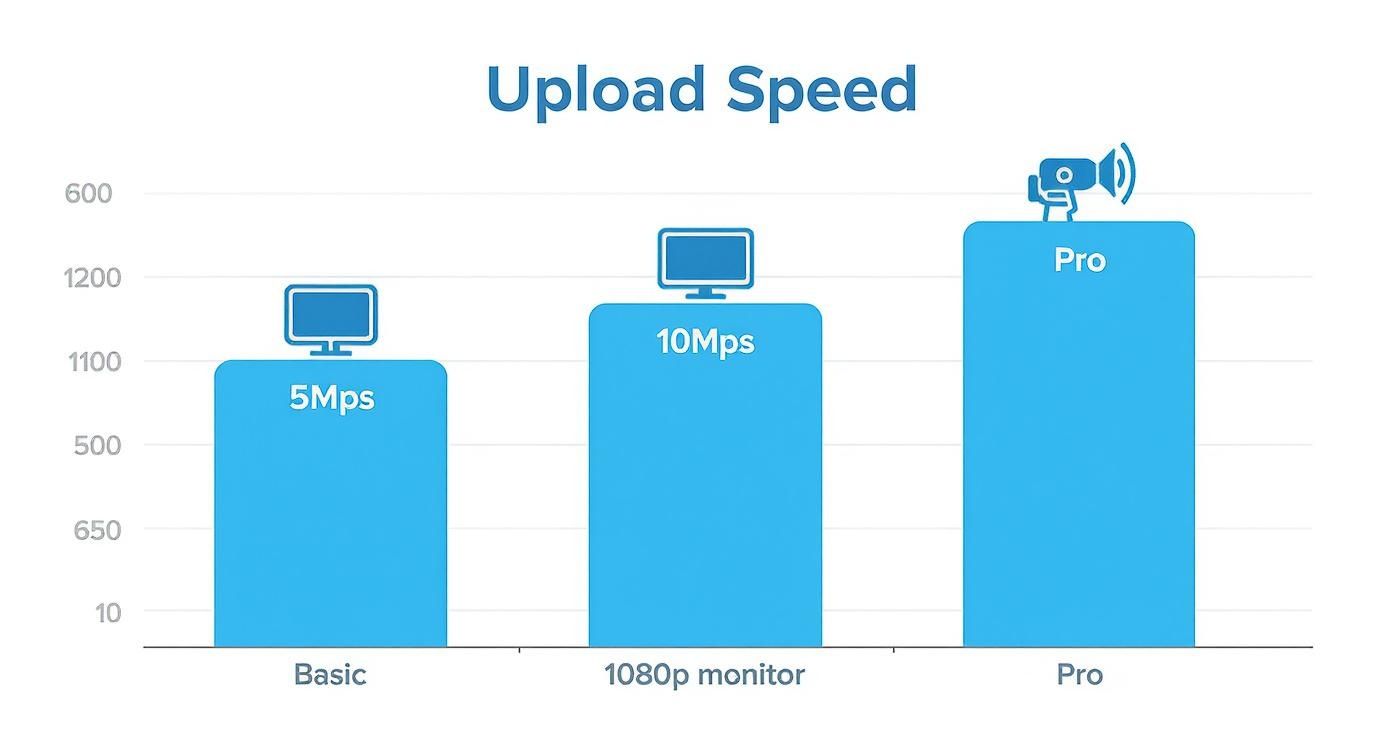
As you can see, just "getting by" is one thing, but delivering a crisp, buffer-free experience that keeps viewers happy, especially for a continuous stream, requires a lot more breathing room in your connection.
Recommended Upload Speed by Stream Quality and Platform
To make things even easier, here’s a quick reference table. It breaks down the numbers for different streaming goals. Pay close attention to the "Ideal for 24/7" column—that's where the pro-level advice is for maintaining a continuous broadcast.
| Streaming Quality | Minimum Upload Speed | Recommended Upload Speed (for stability) | Ideal for 24/7 Streams |
|---|---|---|---|
| 720p at 30fps | 3-4 Mbps | 6-8 Mbps | 10+ Mbps |
| 1080p at 30fps | 5-6 Mbps | 8-10 Mbps | 15+ Mbps |
| 1080p at 60fps | 8-10 Mbps | 12-15 Mbps | 20+ Mbps |
| 4K at 30/60fps | 20-25 Mbps | 35-40 Mbps | 50+ Mbps |
The key takeaway? More is always better. The "minimum" is just what you need to get a signal out the door, but the "recommended" speeds are what will give you a stable, reliable stream that won't drop frames. For 24/7 streaming, that extra buffer isn't a luxury; it's a necessity for constant uptime.
Why Upload Speed Is Your Most Critical Streaming Metric
Think of your internet connection as a highway. The download speed is all the traffic coming to you. The upload speed is the traffic you're sending out. For most people, the incoming highway is a massive, multi-lane freeway, while the outgoing one is a tiny country road.
As a 24/7 streamer, you’ve flipped the script. You're not just a consumer; you're a full-time broadcaster. The quality of your entire stream, from the crispness of the video to the clarity of your audio, hinges entirely on how much data you can push out to your viewers, minute after minute, day after day. A weak upload speed is the ultimate bottleneck. It’s what causes pixelated video, frustrating buffering, and those dreaded dropped frames that can kill a continuous stream.
Asymmetrical vs. Symmetrical Connections
Most internet plans from cable or DSL providers are asymmetrical. This just means they give you blazing-fast download speeds because that’s what most people care about. But they seriously skimp on the upload side, which is a massive problem for anyone running a 24/7 stream.
The numbers don't lie. In the United States, the average download speed was recently clocked at 209.01 Mbps, but the average upload speed was just 61.98 Mbps. That huge gap shows you exactly why your upload capacity is the real choke point for broadcasting.
For a streamer, especially one running a 24/7 broadcast, an asymmetrical connection is like trying to manage a non-stop convoy of trucks on a single-lane road. It’s a recipe for disaster.
The Gold Standard for 24/7 Streams
This is where fiber-optic internet is an absolute game-changer for 24/7 broadcasting. Fiber almost always offers a symmetrical connection, which means your upload speed is just as fast as your download speed. So, if you have a 1 Gigabit plan, you get 1,000 Mbps down and 1,000 Mbps up.
That symmetry gives you a rock-solid, reliable pipeline for your broadcast. When you're running a demanding 24/7 stream that has to stay stable for weeks or even months at a time, a symmetrical connection isn't a nice-to-have; it's a foundational requirement.
It ensures your stream has all the bandwidth it needs to perform flawlessly around the clock, without being strangled by the limits of a typical home internet plan. Of course, each platform has its own technical needs, and a strong upload speed is essential to meeting the various YouTube live stream requirements.
Matching Your Upload Speed to Your Streaming Goals
So, what's the magic number for upload speed? The honest answer is: it depends entirely on what you want to stream. There's no one-size-fits-all solution, especially when considering the demands of a continuous 24/7 broadcast.
Think of your internet connection like a highway. If you're sending a few small cars (a basic stream), a two-lane road is fine. But if you're sending a fleet of massive semi-trucks (a high-quality 4K stream), you're going to need a much bigger, wider highway to avoid a traffic jam.
Your stream's "weight" is all about its quality.
Resolution and Frame Rate: The Two Biggies
When it comes to your stream's data footprint, two things matter most: resolution and frame rate.
Resolution (like 720p, 1080p, or 4K): This is all about picture clarity. A 1080p stream has more than double the pixels of a 720p stream, which means you're sending a lot more data up that internet highway.
Frame Rate (usually 30fps or 60fps): This is how many images flash on the screen every second. A stream at 60fps looks incredibly smooth and fluid, but it’s literally sending twice the information per second as a 30fps stream.
This is why a gamer streaming fast-paced action at 1080p and 60fps needs a seriously robust connection. They’re pushing out a massive amount of detailed, constantly changing information. On the flip side, someone running a chill, 24/7 "lo-fi beats" stream at 1080p and 30fps can get by with much less, since the image on screen barely changes.
Your content dictates your technical needs. A high-motion, high-fidelity stream is a heavy lift for your connection, while a static, ambient 24/7 stream is way more forgiving.
The general recommendations out there reflect this. For a standard stream at 720p and 30fps, you’ll want at least 3 to 4 Mbps of upload speed, though having 5 to 6 Mbps gives you a nice buffer for any network hiccups.
Ready to step it up to a crisp 1080p? Now you’re looking at a minimum of 5 to 6 Mbps, with a much safer bet being 8 to 9 Mbps to keep things smooth for your viewers. You can find more great insights on these benchmarks over at EventLive.pro.
Ultimately, you need an internet plan that can back up your creative vision. For a 24/7 stream, this means choosing a quality level your connection can sustain indefinitely and getting an upload speed that gives you plenty of headroom.
Decoding Bitrate for a Flawless Stream
Let's break this down with an analogy. Think of your internet connection as a highway. Your upload speed is how many lanes that highway has—it's the total possible capacity. Following that, your stream's bitrate is the actual amount of traffic (the cars) you're sending down that highway at any given moment.

Bitrate is simply the amount of data you're sending every second, measured in kilobits per second (kbps). More data generally means better quality, but it also means more traffic. If you try to cram a high-bitrate stream (tons of cars) onto an internet connection with a low upload speed (a two-lane road), you're going to create a massive traffic jam.
For your viewers, that digital traffic jam looks like buffering, pixelation, and a choppy, unwatchable stream.
The 80% Rule of Thumb
To avoid this digital gridlock, there's one golden rule every streamer should live by: never set your bitrate to use more than 70-80% of your available upload speed. This is your single most important safety net for a continuous broadcast.
Let's say a speed test shows you have a stable 10 Mbps upload speed. In your streaming software like OBS or Streamlabs, you should cap your bitrate at 7,000-8,000 kbps (7-8 Mbps). This leaves a buffer, or "headroom," to absorb the natural ups and downs of any internet connection.
This headroom is absolutely vital for 24/7 streams. Over a long-duration broadcast, your network conditions will inevitably change. Having that 20-30% buffer ensures your stream remains stable and professional, even when your connection momentarily dips.
Matching Bitrate to Your Goals
The bitrate you choose directly dictates the upload speed you need. A standard Full HD stream (1080p) at 30 frames per second usually requires an upload speed of at least 5 to 6 Mbps. Want that buttery-smooth 60 fps? You'll want to aim for 8 to 10 Mbps.
And if you’re pushing for pristine 4K quality, you’ll need a bare minimum of 20 Mbps to keep things looking sharp and consistent.
Here's a quick look at what major platforms recommend for some common streaming setups.
Platform Bitrate Recommendations for Common Resolutions
This table shows the recommended video bitrate settings (in kbps) to get the best quality on some of the biggest streaming platforms.
| Resolution & FPS | YouTube Recommended Bitrate (kbps) | Twitch Recommended Bitrate (kbps) |
|---|---|---|
| 1080p @ 60 FPS | 4,500 – 9,000 | 4,500 – 6,000 |
| 1080p @ 30 FPS | 3,000 – 6,000 | 3,000 – 4,500 |
| 720p @ 60 FPS | 2,250 – 6,000 | 3,000 – 4,500 |
| 720p @ 30 FPS | 1,500 – 4,000 | 2,500 – 4,000 |
Remember, these are starting points. For a 24/7 stream, consistency is key, so always test your stream and use the 80% rule to find the sweet spot for your specific connection.
Ultimately, choosing the right bitrate is a balancing act between incredible quality and rock-solid stability. To get a deeper look into finding your perfect settings, our complete guide to bitrate for streaming breaks down everything you need to know.
And since so much streaming happens on mobile these days, it also pays to check out a guide to vertical video dimensions to make sure your content looks great on every screen. By carefully managing your bitrate, you ensure your highway never gets too crowded, delivering a flawless experience to your audience around the clock.
How to Diagnose and Stabilize Your Connection
That internet speed your provider advertised? Think of it as a best-case scenario, not a guarantee. What really counts for a smooth, professional 24/7 stream is your connection's actual, real-world performance. To get a true sense of what you're working with for something as demanding as a continuous broadcast, you need to put on your detective hat.
Start by running several speed tests at different times of the day. A single test won't cut it. Your internet speed can rise and fall depending on how many people in your neighborhood are online. Testing in the morning, afternoon, and again at night will give you a much clearer picture of your connection’s consistency. If your stream starts acting up, a great first step is understanding why your internet is slow.
But raw speed is only part of the story. There are a few sneaky culprits that can wreak havoc on your stream, and they won't always show up on a basic speed test.
- High Ping (Latency): This is the time it takes for your signal to travel to the server and back. High ping can cause delays in your stream reaching the platform.
- Jitter: Think of jitter as an inconsistent ping. If your latency is jumping all over the place, it makes your stream feel choppy and unstable to viewers and servers.
- Packet Loss: This is when tiny pieces of your stream's data get lost in transit. Even a small amount of packet loss can lead to ugly, pixelated artifacts or cause your video to freeze entirely, which is fatal for a 24/7 stream.
Game Changing Tips for Stream Stability
So, what can you do about it? Luckily, there are some very practical steps you can take to build a rock-solid connection for your 24/7 stream. The single biggest improvement you can make is to ditch Wi-Fi and plug in with an Ethernet cable. Wi-Fi is prone to all sorts of interference, which creates the exact kind of instability that kills a continuous broadcast.
A wired Ethernet connection provides a direct, stable pipeline for your data. For any serious 24/7 streamer, this isn't optional; it's the foundation of a reliable broadcast.
Next, take a look at what else is hogging your bandwidth. Every phone, smart TV, and laptop streaming Netflix on your network is fighting for a slice of the same upload pie. Before you go live, try to shut down any unnecessary devices to give your stream as much dedicated power as possible. We dive deeper into this in our guide to creating the best streaming set up.
If your 24/7 stream is for a business where any downtime costs you money, it might be time to go pro. Consider investing in a second, dedicated internet line used only for your streaming computer. This completely isolates your broadcast from everything else, guaranteeing it has all the resources it needs to run flawlessly around the clock.
What Does 24/7 Streaming Really Require?
Running a stream around the clock is a completely different beast than a standard two-hour broadcast. When 24/7 creators ask, “what upload speed do I need to stream?” the answer always comes down to how you’re getting your stream online.
Making the right choice here is huge. It’s the difference between your home internet being a constant point of failure or just a simple tool you use to prepare.
The Two Paths of 24/7 Streaming
You can get a continuous stream online in two main ways, and each one puts wildly different demands on your home internet connection. Figuring out which path you're on is the first step to a stable setup.
- Broadcasting From Home: This is the traditional way. You run software like OBS Studio on your own computer, which encodes your video in real-time and pushes it out to YouTube or Twitch, 24/7. Your PC is the broadcast station.
- Broadcasting From the Cloud: Here, you upload your video files ahead of time to a cloud service. That service then does all the heavy lifting, encoding and streaming your content on a loop from its own high-powered servers.
For anyone running a 24/7 stream, deciding between broadcasting from home or the cloud is the single most important technical choice you'll make. It completely changes how much your home upload speed matters.
When Your Connection is Pushed to the Limit
If you choose to stream directly from your own computer, your home upload speed becomes the lifeblood of your channel. It’s under constant, non-stop pressure, 24 hours a day, seven days a week.
Every little hiccup in your connection or blip of network congestion becomes a direct threat to your stream’s stability. Any interruption, even for a moment, means your audience sees a black screen—a killer for a channel that needs to be reliable. This method demands an exceptionally stable and fast upload speed with a ton of extra bandwidth to handle any unexpected dips.
On the other hand, if you use a cloud-based service, your upload speed only matters when you’re sending your files up to their server.
Once your videos are in the cloud, your home internet is out of the picture. The cloud provider’s bomb-proof infrastructure handles the broadcast, guaranteeing perfect uptime for your 24/7 stream, no matter what’s going on at your house.
Your Top Streaming Speed Questions, Answered
Let's cut through the noise and get straight to the questions every 24/7 streamer asks about their internet connection. Here are some quick, practical answers to help you figure out your setup.
Can I Get By With Just 5 Mbps Upload Speed?
You can, but you’ll have to be realistic about your stream quality. A 5 Mbps upload speed is enough to get your foot in the door, but it generally locks you into streaming at 720p at 30 frames per second. For a 24/7 stream, this leaves very little room for error.
To keep things stable, you'll want to set your streaming software’s bitrate to no more than 3,000-3,500 kbps (or 3-3.5 Mbps). This leaves a little bit of headroom for those inevitable network hiccups. It works for basic, static 24/7 streams, but you might see performance dips if someone else in the house hops on a Zoom call.
Does 4K Streaming Really Need a Special Internet Plan?
Oh, absolutely. Streaming in 4K is a whole different ballgame—it's incredibly hungry for upload bandwidth. You’ll need a rock-solid upload speed of at least 25 Mbps, but honestly, most pros will tell you to aim for 35-50 Mbps if you want a buffer-free 4K stream, especially for a continuous broadcast.
This kind of upload muscle almost always means getting a fiber-optic plan. Your standard cable or DSL connection just can't keep up with the constant, heavy demand of broadcasting in such high resolution.
For a 24/7 stream, consistency is everything. Trying to run a continuous 4K broadcast on a shaky connection is a recipe for disaster. It guarantees dropped frames and frustrated viewers. Think of a solid fiber plan as a non-negotiable investment for professional quality.
How Much Do Other People on My Network Affect My Stream?
More than you might think. Every device on your network is competing for a slice of the same internet pie. Things like video calls, online gaming, and big file downloads can easily steal the bandwidth your stream needs to survive.
Imagine you have a 10 Mbps upload speed for your 24/7 stream. If your roommate starts a video call that eats up 3 Mbps, you’re suddenly left with only 7 Mbps for your stream. For your viewers, that sudden drop can cause instant buffering and a choppy experience.
This is why a wired Ethernet connection is a must-have for any serious streamer. It’s also a good idea to dive into your router’s Quality of Service (QoS) settings—you can use them to tell your router to prioritize your streaming computer, making sure it always gets the bandwidth it needs first.
Ready to launch a flawless 24/7 stream without worrying about your home internet? 24/7 LiveStream handles the broadcast from the cloud, giving you perfect uptime and stability. Upload your videos and let us do the rest. Start your professional 24/7 stream today.