If you're looking to stream in crisp 1080p at 30 frames per second (fps), you’ll want an upload speed of at least 5-6 Mbps. Want to double that frame rate for a buttery-smooth 60 fps? You’ll need to bump that up to 8-10 Mbps. The key, especially for a continuous 24/7 live stream, is to always have some headroom—a little buffer to keep your stream stable even when your internet connection has a hiccup.
Why Upload Speed Is The Backbone Of Your Stream
When you go live—especially if you're running a continuous 24/7 broadcast—your upload speed is everything. Internet providers love to brag about their blazing-fast download speeds, which are great for watching movies or gaming. But for a streamer, that number doesn't matter much. It’s all about the upload.
Think of it like a highway. Your video stream is a steady flow of data, and your upload speed determines how many lanes you have to work with.
- Low Upload Speed: It's like a single-lane road during rush hour. Your data gets stuck in traffic, leading to buffering, pixelated video, and dropped frames on the viewer's end. For a 24/7 stream, this can be catastrophic.
- High Upload Speed: Now you’ve got a multi-lane expressway. Your video data flows freely and quickly, giving your audience a professional, high-quality stream without interruptions, day or night.
For anyone running a 24/7 live stream, this isn't just a friendly suggestion—it’s a must. A continuous broadcast puts a constant demand on your connection. Any instability can cause your stream to drop, which can hurt your channel’s momentum and break the trust you’ve built with your viewers. At the end of the day, a stable, high-quality stream is what keeps people watching, and it all starts with having enough upload bandwidth.
What Upload Speed Do You Actually Need?
The right upload speed really comes down to the quality you want to push out. Higher resolutions and smoother frame rates mean you're sending more data, so you'll need a faster connection to handle it, particularly for the relentless demands of a 24/7 broadcast.
As we look at streaming standards for 2025, the needs are clear. For a standard 1080p stream at 30 fps, you'll need a minimum of 5 to 6 Mbps to deliver a reliable, high-quality experience. If you’re aiming for a much smoother 60 fps, that requirement jumps to 8-10 Mbps.
And for those of you pushing the envelope with 4K content? Be prepared to have at least 20 Mbps on tap to maintain a stable feed. You can dig deeper into these numbers with this helpful guide to streaming internet speeds.
For a quick overview, here's a simple table breaking down the most common setups.
Upload Speed Recommendations for Streaming
| Streaming Quality | Minimum Recommended Upload Speed | Best For |
|---|---|---|
| 720p / 30 fps | 3-4 Mbps | Basic HD streaming, starting out |
| 1080p / 30 fps | 5-6 Mbps | Standard high-quality YouTube/Twitch streams & 24/7 broadcasts |
| 1080p / 60 fps | 8-10 Mbps | Fast-paced gaming, sports, action content |
| 4K / 30 fps | 20+ Mbps | Ultra-high-definition, professional broadcasts |
This table makes it easy to see how quickly the demand for bandwidth grows as you increase your stream's quality.
The image below also visualizes the recommended upload speeds for the most popular streaming formats, giving you a clear picture of what you'll need.
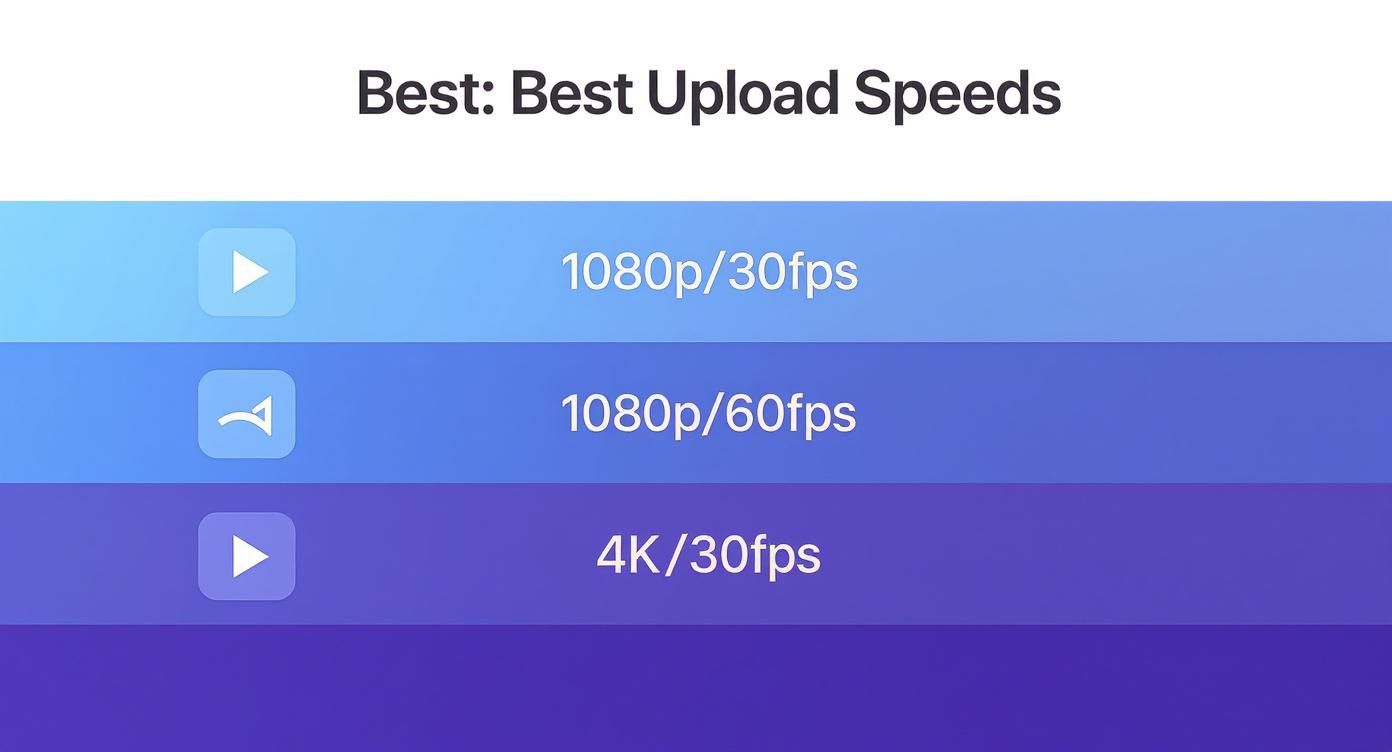
As you can see, jumping from 1080p to 4K is a huge leap in bandwidth requirements. It really drives home just how critical a fast and stable upload connection is for anyone serious about high-end streaming, and especially for running a continuous 24/7 stream.
How to Calculate Your Actual Upload Speed Needs
Here's where a lot of streamers go wrong: they look up the minimum recommended speed and aim for exactly that. It’s a classic mistake that almost always leads to dropped frames and that dreaded buffering wheel.
Your internet connection isn't a laser-focused beam; it’s more like a river that ebbs and flows. To keep a broadcast looking professional and stable—especially a demanding 24/7 stream—you absolutely need a safety net.
This is where the "30% Buffer Rule" comes into play. It’s a rule of thumb that seasoned streamers live by: make sure your upload speed is at least 30% to 40% higher than the bitrate you plan to stream at. This buffer gives you breathing room for network hiccups and the unavoidable overhead that happens when you send data online.
Think of it like packing for a road trip. You don't stuff your car so full that the doors barely close. You leave some extra space, right? That extra room is your buffer, and it’s what keeps your 24/7 stream from falling apart the second your connection has a minor dip.
Applying the 30% Buffer Rule
Figuring out what you really need is pretty simple. There's a basic formula that ensures you have enough headroom to keep your stream solid even when your network isn't perfect.
Your Target Bitrate (in Mbps) + (Your Target Bitrate x 0.30) = Your Minimum Required Upload Speed
Let's walk through a real-world example. Say you're planning a slick 24/7 stream to YouTube at 1080p and 60 frames per second. For that quality, YouTube suggests a bitrate of about 6 Mbps. (If bitrate is a new term for you, our guide on choosing the perfect bitrate for streaming is a great place to start.)
Let’s plug that into our formula:
- Target Bitrate: 6 Mbps
- Buffer Calculation: 6 Mbps x 0.30 = 1.8 Mbps
- Total Required Speed: 6 Mbps + 1.8 Mbps = 7.8 Mbps
So, to reliably push a 6 Mbps stream, you don't just need a 6 Mbps connection. You need an upload speed of at least 7.8 Mbps. To be extra safe for a non-stop broadcast, I’d aim for 8 Mbps or even a little higher.
What About Multistreaming?
Now, what happens if you want to go live on more than one platform at the same time? Multistreaming to places like YouTube and Twitch at once puts a much bigger strain on your connection because you're sending out separate, hungry streams of data. For a 24/7 multistream, this challenge is even greater.
In this case, that 30% buffer rule isn't just a good idea—it's essential.
First, just add up the bitrates for each platform. If you're sending a 6 Mbps stream to YouTube and a 5 Mbps stream to Twitch, your total combined bitrate is 11 Mbps.
Next, apply the buffer rule to that combined number:
- Combined Bitrate: 11 Mbps
- Buffer Calculation: 11 Mbps x 0.30 = 3.3 Mbps
- Total Required Speed: 11 Mbps + 3.3 Mbps = 14.3 Mbps
To pull off this multistream without a hitch, you'd need a consistent upload speed of nearly 15 Mbps. This quick math is the key to not underestimating your needs, helping you pick an internet plan that can actually handle what you want to do.
Testing Your Internet Speed the Right Way
Running a quick speed test and seeing a big number can give you a false sense of security. It’s easy to get complacent, but a single, ideal-condition test doesn't tell the whole story, especially when you need rock-solid stability for something like a 24/7 live stream. To really understand what your connection is capable of, you need to test it like a professional broadcaster would.
Think of it like this: a car’s top speed on a perfect test track is impressive, but that number means nothing in stop-and-go traffic during rush hour. Your internet connection behaves the same way. Its performance can swing wildly based on network congestion, especially in the evenings when everyone in your neighborhood is binge-watching shows or gaming online.
This is exactly why you need to test at different times. Run a test in the morning, another in the afternoon, and definitely one during peak evening hours (usually 7 PM to 11 PM). This simple routine will reveal the true stability of your connection. If you see a significant drop in your upload speed during those peak times, that’s a major red flag—it tells you that local network congestion could seriously threaten the reliability of your 24/7 stream.
Getting a True and Accurate Reading
Before you even hit "start" on a speed test, you have to prep your setup. The goal is to eliminate any variables that could throw off the results. An inaccurate test can fool you into thinking your connection is stronger than it really is, setting you up for a frustrating failure when you go live.
To get the most precise measurement of your internet's raw upload capability, follow these essential steps. Don't skip them.
- Use a Wired Connection: I can't stress this enough. Wi-Fi is convenient, but it's also unstable and prone to all sorts of interference. Always plug your computer directly into your router with an Ethernet cable before testing. This is the single most important step for an accurate reading, especially for a 24/7 stream that can't afford wireless drops.
- Close All Background Apps: Your internet connection is a shared resource. Shut down every non-essential application on your computer—especially things like cloud sync services (Dropbox, Google Drive), software updates, and any other streaming platforms. You want the speed test to have exclusive access to your bandwidth.
- Disconnect Other Devices: Make sure no one else in the house is streaming movies, playing online games, or downloading huge files. Every single active device on your network is sipping away at your bandwidth, and that will absolutely affect your results.
Looking Beyond Just the Upload Number
While upload speed is the star of the show for streaming, two other metrics—ping and jitter—are the unsung heroes of a stable broadcast. They reveal the quality and consistency of your connection, not just its raw horsepower.
A high upload speed is useless if the connection is unstable. Think of ping and jitter as the measures of your connection's discipline and consistency. For a smooth, professional 24/7 broadcast, they are absolutely vital.
Ping (Latency): This is the reaction time of your connection, measured in milliseconds (ms). It tells you how quickly your device gets a response after sending out a signal. For streaming, you want a ping below 50ms. A higher ping introduces more delay, which can mess with real-time interaction with your audience.
Jitter: This measures the variation in your ping over time. If your ping is all over the place, you have high jitter. This is a sign of an erratic and unstable connection, which is a nightmare for a 24/7 live stream—it leads to dropped frames and that dreaded buffering wheel for your viewers. Always aim for a jitter below 30ms.
Choosing a Setup for Your Streaming Goals
There’s no magic number for the "best" upload speed. The right speed for you is completely tied to what you want to achieve with your stream and the gear you're using. A solo gamer streaming from their bedroom PC has entirely different needs than a business running a continuous 24/7 broadcast with multiple cameras and slick graphic overlays.
Think of your setup as the engine for your stream. Every single piece—from your crisp microphone audio to your animated alerts—needs a slice of your upload bandwidth. The more cool stuff you add, the more data you have to push out, which means you need a faster, more stable connection to keep it all from falling apart.
For example, a standard 1080p stream might run just fine on 8-10 Mbps. But what happens when you decide to multistream a 24/7 broadcast to YouTube and Twitch at the same time? Your bandwidth needs just doubled. That once-reliable connection can quickly become a bottleneck, leaving your viewers with a pixelated, stuttering mess.
Streaming from a Home PC vs a Cloud Server for 24/7 Broadcasts
When you stream directly from your own computer, your home internet is both your stream’s lifeline and its greatest vulnerability. The quality of your 24/7 broadcast lives and dies by the upload speed your provider gives you, which can—and often does—fluctuate with neighborhood network traffic. This approach puts all the heavy lifting directly on your PC and home network.
A cloud-based setup, on the other hand, changes the entire equation for 24/7 streaming.
With a cloud server, your home internet's upload speed is no longer the main factor for the live broadcast. You just need enough speed to get your video files to the server once. From there, the cloud server takes over, using its own powerful, commercial-grade connection to handle the demanding job of broadcasting 24/7.
This is a huge win for anyone with less-than-stellar home internet. It opens the door to professional, continuous live streaming for creators who thought it was out of reach. By sidestepping the common headaches of home broadcasting, a cloud setup ensures your 24/7 stream stays stable and high-quality, day and night. You can learn more about building the right foundation in our guide on the best streaming set-up.
Global Speeds and Your Streaming Potential
The good news is that the internet infrastructure that creators rely on is getting better all the time. Around the world, upload speeds are on the rise to meet the growing hunger for high-quality video. Back in late 2021, the median fixed broadband upload speed was already hovering around 25 Mbps, and it had been growing by nearly 32% each year before that. While it's not perfect everywhere, the trend is definitely heading in the right direction for streamers, especially those running 24/7 channels.
And it’s not just about live streaming. A solid upload speed is also critical for optimizing your YouTube video uploads, making sure your pre-recorded content for a 24/7 loop gets processed and published quickly.
Ultimately, whether you're going live or just uploading videos, your connection is key. The best upload speed for you will come down to matching your setup to your goals and making the smart choice between local and cloud-based broadcasting for your 24/7 stream.
Actionable Steps to Boost Your Upload Stability
Knowing your connection has a weak spot is one thing; fixing it is what turns a frustrating broadcast into a flawless one. Think of this as your practical playbook for making your stream more robust and reliable, especially if you're running a demanding 24/7 broadcast that simply can't afford to drop.
The single biggest change you can make? Ditch Wi-Fi and plug in an Ethernet cable. It's that simple. Wi-Fi is incredibly convenient, but it's also prone to interference from other devices, walls, and even your microwave. A direct Ethernet cable creates a stable, dedicated highway for your data, cutting out the wireless unpredictability that can kill a 24/7 stream.
Tame Your Local Network Traffic
Your home network is a shared space, with phones, TVs, and computers all competing for a slice of the bandwidth pie. To make sure your stream gets the resources it deserves, you need to manage that traffic before you go live.
- Pause Automatic Updates: Windows, macOS, and gaming clients love to download massive updates in the background. Make sure you disable these automatic jobs so they don't hijack your upload bandwidth mid-stream.
- Shut Down Bandwidth Hogs: Close out cloud-syncing apps like Dropbox or Google Drive. Also, make sure any file-sharing programs are completely shut down.
- Limit Other Devices: If you can, ask others in your house to hold off on heavy internet activities like 4K video streaming or online gaming while you're live. Every device on your network is a potential bandwidth competitor for your 24/7 broadcast.
While a wired connection is always best, sometimes it's just not possible. If you're stuck on wireless, there are still plenty of ways for How to Improve WiFi Signal that can make a real difference.
Advanced Router Optimizations
Your router is the traffic cop for your internet connection. Keeping it updated and properly configured is crucial for a stable stream. First off, make sure its firmware is up to date. Manufacturers regularly release updates that patch security holes and improve overall performance.
Next, dig into your router's Quality of Service (QoS) settings. This feature is a game-changer. It lets you tell your router which devices or applications get priority. By setting your streaming PC as a high-priority device, you're essentially telling the router to let its data packets jump to the front of the line, ensuring your 24/7 stream always gets the upload bandwidth it needs.
If you’ve tried everything and your connection still can't keep up, it's time to call your Internet Service Provider (ISP). Don't just tell them you need "faster internet." Be specific. Say, "I am a content creator running a 24/7 live broadcast and I need a consistent upload speed of at least [Your Target Speed] Mbps to maintain stream quality."
Using clear language like this helps them understand your professional needs and recommend a plan that actually works—which often means pointing you toward a fiber optic option. The good news is that internet infrastructure is constantly improving. Recent reports show the median fixed broadband upload speed is around 58 Mbps in many areas, with some fiber providers hitting incredible medians of nearly 300 Mbps.
Streaming Speeds: Your Questions Answered
Let's be honest, the technical side of streaming can feel a little overwhelming. If you're wrestling with questions about your internet connection, you've come to the right place. Here are some straightforward answers to the most common questions we hear from 24/7 streamers.
Is Fiber Internet a Must-Have for Streaming?
While you don't absolutely need it to get started, fiber internet is the gold standard for any serious streamer. Why? It all comes down to one key feature: symmetrical speeds.
Fiber gives you upload speeds that are just as fast as your download speeds. For anyone pushing a high-quality stream out to the world, especially a demanding 24/7 broadcast, that's a game-changer.
Cable and DSL connections, on the other hand, usually have much, much slower upload speeds. This can quickly become a bottleneck that tanks your stream quality. If you want a stable, high-quality 24/7 broadcast without the headaches, investing in fiber is the surest way to go. For a deeper look at the numbers, check out our guide on what upload speed you need to stream.
Can I Get by With a 5G Mobile Hotspot?
Using a 5G hotspot for streaming is definitely possible, and sometimes it can work surprisingly well. The latest 5G networks can deliver some serious upload speeds, often beating out older home cable connections in the right location. This makes it a great option for streaming on the move or as a backup plan.
But here’s the catch: mobile networks are just not as stable as a wired connection. Things like network congestion, your signal strength, and even bad weather can make your speeds swing wildly.
For a critical 24/7 stream, a 5G hotspot should be your backup, not your primary connection. Nothing beats the rock-solid stability of a wired Ethernet cable for a broadcast that has to stay online around the clock.
How Does Streaming to Multiple Platforms Affect My Speed?
When you multistream to places like YouTube and Twitch at the same time, you're not just sending out one stream. You're sending a completely separate stream of data to each platform. For a 24/7 live stream, this means your need for upload speed multiplies and the demand never stops.
Think of it this way:
- One Stream: Streaming a 24/7 broadcast to YouTube at 6 Mbps means you need an upload speed of at least 8 Mbps to be safe (with that 30% buffer).
- Two Streams: Add a second 24/7 stream to Twitch at 5 Mbps, and now you're pushing a total of 11 Mbps. Your required upload speed suddenly jumps to over 14 Mbps.
A lot of multistreams fail because people forget to add up the total bandwidth. Always calculate the combined bitrate for all your destinations and then add a generous buffer on top of that, especially for a non-stop 24/7 operation.
Ready to stop worrying about your home internet connection altogether? With 24/7 LiveStream, you can run flawless, continuous broadcasts directly from the cloud. Just upload your video files once, and our powerful servers take over, delivering a perfect 1080p stream to your audience around the clock. Start your 24/7 stream today.