A 24/7 lofi hip hop stream on YouTube is a looping animation with a playlist of lofi tracks, streamed live without a stop. To run one, you need music you have the rights to stream, a visual that loops without a visible jump, and a server or cloud service that sends both to YouTube while your computer is off.
The best-known example is Lofi Girl, a 24/7 stream of a girl with headphones studying at her desk while her cat sits on the windowsill.
Why people leave lofi streams on
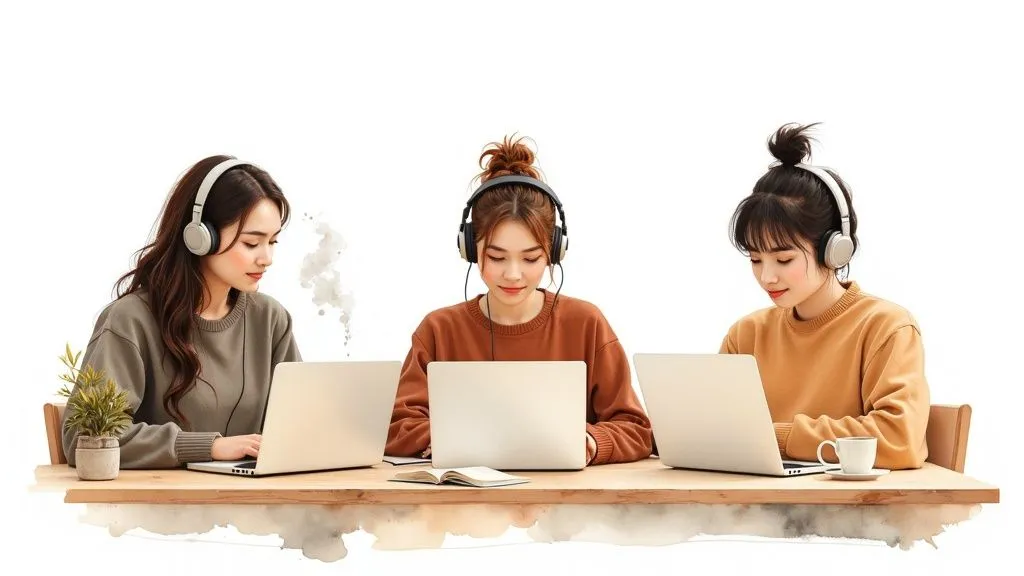
People use a lofi stream as background sound for study, work or sleep. The beats are simple and mostly have no vocals, and the picture barely moves, so the stream does not pull attention away from the task. Because the stream is always live, a viewer can open it at any hour and find it playing.
The live chat is the other half. Viewers post what they are working on, greet each other and come back the next day. A few moderators who remove spam keep the chat friendly while you are away.
Step 1: Get music you can stream 24/7
One unlicensed track can stop your stream. YouTube scans every live stream for third-party content. When it finds some, it can replace your stream with a placeholder and then interrupt or stop it, and a copyright strike can end the stream.
"Credit in the description" is not a license. For every track in the playlist, you need one of these:
| Source | What you get | What to check |
|---|---|---|
| Royalty-free library | A large catalog for a subscription fee | That the license covers live streams on your channel |
| Direct deal with artists | Tracks that other channels do not play | A signed agreement that covers continuous live streaming |
| Creative Commons | Free tracks | The license type: "NC" (non-commercial) licenses do not allow commercial use, such as a monetized channel |
Two points save most channels from trouble:
- Keep the subscription active. Epidemic Sound, for example, lets you play its music on the stream channel connected to an active subscription. A 24/7 stream plays every day, so the subscription must stay active as long as the stream runs.
- Ask to be allowlisted. YouTube Help says a licensed stream "can be interrupted even if you've licensed the third-party content" when your channel is not on the owner's Content ID allowlist. Ask the label, the artist or the library to add your channel.
Many channels start with a library and then add tracks from independent artists as they grow. Offer the artist a credit in the description and a "Now playing" line on screen, and ask them to share the stream with their listeners. Our guide to royalty-free music for streaming compares sources in more detail.
Step 2: Make the looping visual
The visual needs the same care with rights as the music. Lofi Girl's first streams used a clip from the Studio Ghibli film Whisper of the Heart. YouTube took the stream down in the summer of 2017, and it came back in September 2017 with an original animation by the artist Juan Pablo Machado. Use art you made, bought with a license, or commissioned with a written transfer of rights.
A good lofi loop has three things:
- An invisible join. The last frame of the animation must match the first frame. If it does not, viewers see a jump every time the loop starts again.
- Small movements. Steam from a mug, rain on a window, a cat's tail. The scene looks alive but does not pull attention from the task.
- A clear setting. A bedroom at night, a rainy street, a quiet café. The setting tells a new viewer the mood before the first beat plays.
Export the loop at 1920x1080 and 24 or 30 frames per second, as an MP4 with H.264 video.
Step 3: Put the music and the visual together
You can combine them in two ways:
- Render music sets as videos. In a video editor, lay a one- or two-hour music set over the repeated loop and export it as one MP4. Make several sets and put them in a playlist. This works with every streaming tool, and each set can have its own mood.
- Combine them in OBS. Add the loop as a Media Source with Loop turned on, and add the music as a separate audio source or a VLC Video Source playlist (VLC must be installed). This skips rendering, but the computer that runs OBS must stay on all the time.
Several sets in a playlist are also safer for monetization. YouTube's monetization policies ask for content that is not "mass-produced, generic, repetitive, or manipulative", and one short track on repeat can fail that test.
Step 4: Choose your stream settings
A lofi stream does not need the settings of a fast game stream. The picture changes little from frame to frame, so the encoder has less work to do.
| Setting | Value |
|---|---|
| Resolution | 1920x1080 (1080p) |
| Frame rate | 30 fps |
| Video codec | H.264 |
| Video bitrate | Up to 10 Mbps, YouTube's recommendation for 1080p at 30 fps |
| Keyframe interval | 2 seconds (YouTube asks for no more than 4) |
| Audio | AAC, 44.1 kHz, stereo, 128 kbps or more |
YouTube recommends 128 kbps for stereo audio. On a music channel the audio is the product, so many channels use a higher audio bitrate. If your upload speed is limited, you can lower the video bitrate before the audio: a still picture stays clean at a lower bitrate than a game does.
Step 5: Keep the stream live without your computer
A lofi stream must play at 3 a.m. and on holidays, so it cannot depend on a home computer. You have three options:
- OBS on your own computer. Free, but a power cut, an internet drop, a crash or a system update stops the stream until you restart it by hand.
- OBS on a VPS, a server you rent in a data center. It costs about $15 to $60 a month. You install, update and watch OBS on it yourself.
- A cloud streaming service. You upload the video files from your browser, put them in a playlist, paste your YouTube stream key and start the stream. The service's servers do the streaming, so you can turn your computer off.
With 247 LiveStream, the third option costs $16 a month per stream, with no time limit, 1080p at 30 fps and audio up to 320 kbps. You can add, remove or reorder sets while the stream is live. See what the plan includes, or compare prices and limits of eight 24/7 streaming tools.
For a longer walk-through of both routes, read our guide to a 24/7 recorded live stream.
Step 6: Write a title people search for
Viewers find lofi streams by what they want to do and how they want to feel. Use three kinds of words in the title and description:
- Activity: "beats to relax/study to", "music for focus", "lofi for coding".
- Mood: "chill beats", "sad lofi", "cozy rain".
- Genre: "lofi hip hop radio", "jazzhop", "chillhop".
A title such as "Lofi Hip Hop Radio 24/7 - Chill Beats to Relax/Study to" covers all three. In the description, list the artists and link their pages.
Keep the overlays small. A semi-transparent logo in a corner and a "Now playing" line with the artist and the track are enough. More text on screen works against the calm picture.
Step 7: Earn money from the stream
To earn from ads and fan payments, your channel must join the YouTube Partner Program. YouTube asks for 1,000 subscribers and 4,000 qualified public watch hours in the last 12 months, or 1,000 subscribers and 10 million qualified Shorts views in the last 90 days.
After you join, a live stream can earn in these ways:
- Ads. Mid-roll ads play during the stream, and you insert them automatically (YouTube's recommendation) or by hand. On eligible streams, YouTube also shows side-by-side mid-rolls, which play next to the stream instead of over it. For a study stream, that is less of a break.
- Super Chat and Super Stickers. Viewers pay to highlight a message in the chat. Thank them in the chat or on your Discord server.
- Channel memberships. A monthly fee for perks such as custom emoji, badges or a private Discord channel.
Outside YouTube, two more sources fit a lofi channel:
- Merch. Once people know your character or scene, sell posters, mugs or shirts with the art. Check that your agreement with the artist covers merch.
- Affiliate links. List the headphones, apps or gear you recommend in the description.
Questions about lofi hip hop streams
How do I avoid copyright strikes?
Stream only music and art that you made or have a written license for, and ask each rights owner to add your channel to their Content ID allowlist. Step 1 lists the sources and what to check for each.
What does a 24/7 lofi stream cost?
OBS is free. A VPS to run it costs about $15 to $60 a month. A cloud streaming service charges a monthly fee per stream. Add the cost of your music library and any art you commission.
Will YouTube save my lofi stream as a video?
Not after 12 hours. YouTube Help says that if a stream "exceeds 12 hours, it may not be captured at all." The live stream keeps going. Keep your own copies of the files.
How do I make my channel stand out?
Give it a character or scene of its own: a cabin in a rainstorm, a noodle shop at night, a quiet spaceship deck. Then pick a sound niche, such as lofi with jazz piano or slow beats for sleep. A distinct scene and sound tell a viewer why to come back to your stream and not to another one.
If you want to run music without the visual loop, read how to start an internet radio station. Our FAQ answers common questions about 24/7 streams on YouTube.